Vivo phones
Adjust iManager settings
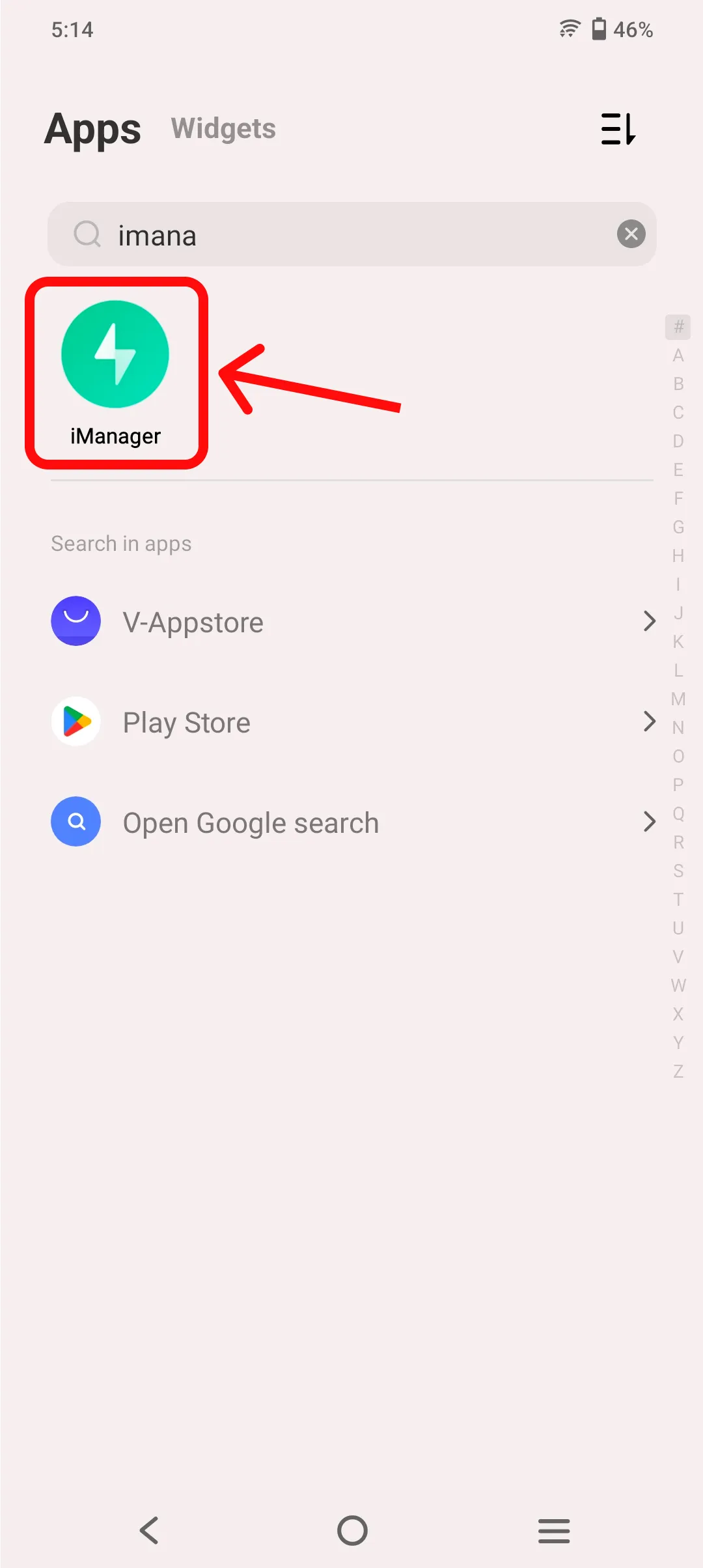
Section titled “Adjust iManager settings”- Open iManager app
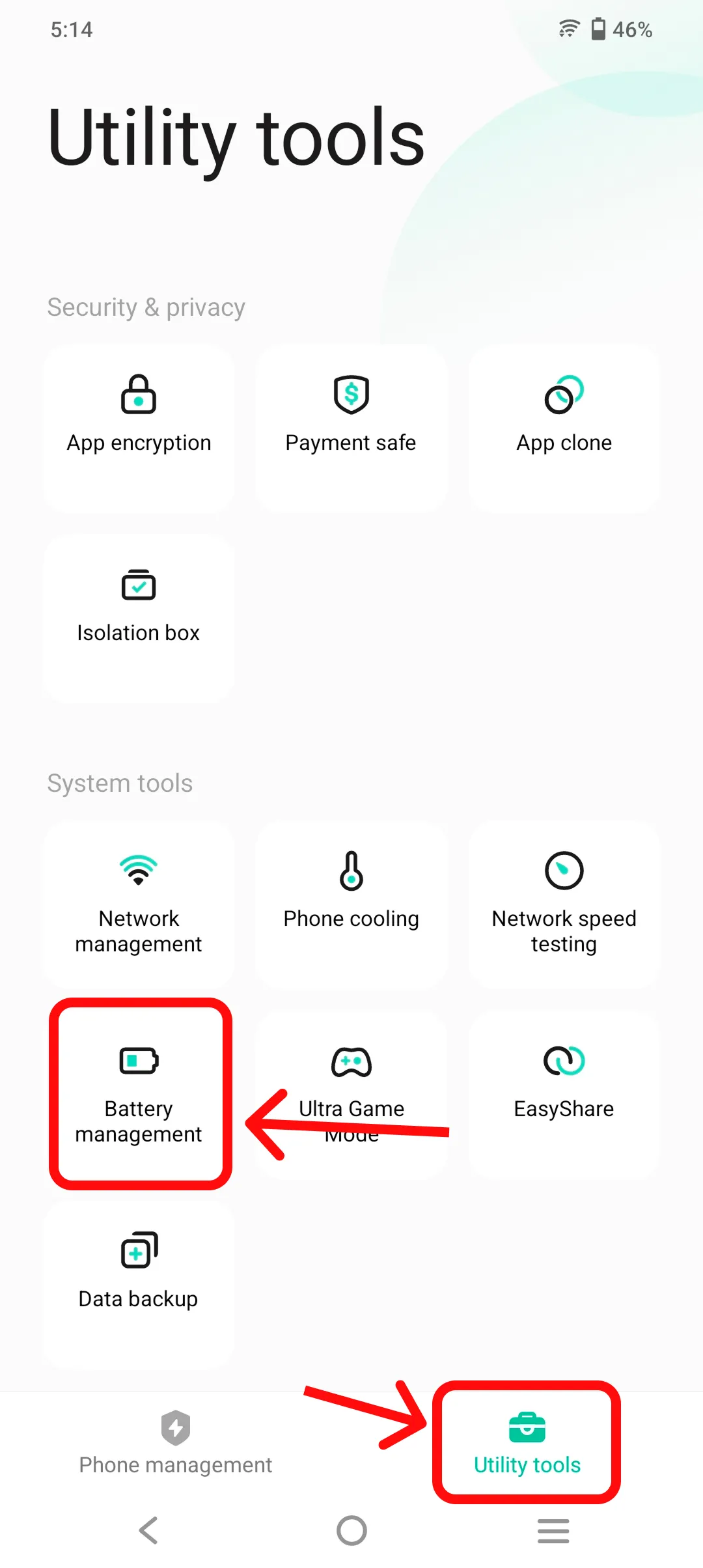
- Select “Battery Management” under “Utility tools”
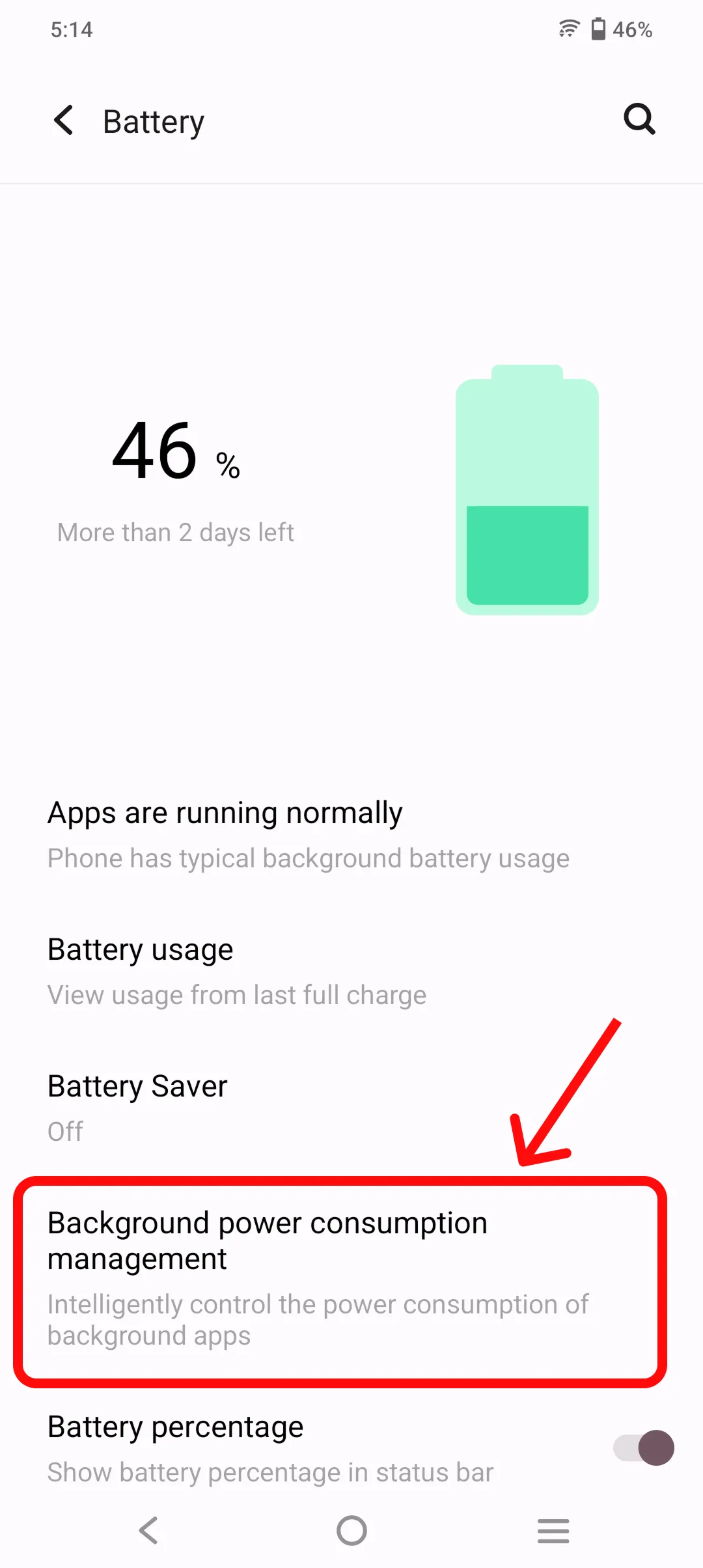
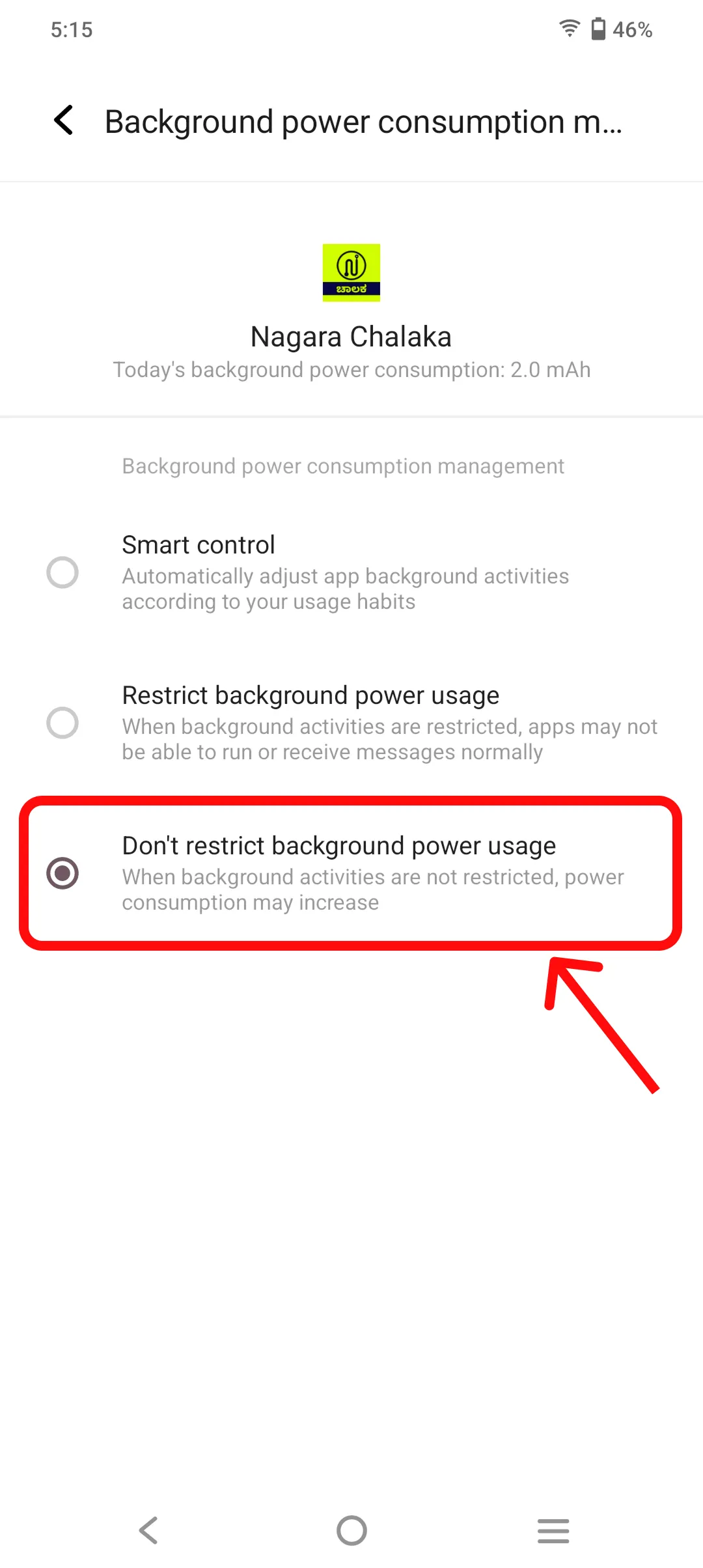
- Select “Background power consumption management”
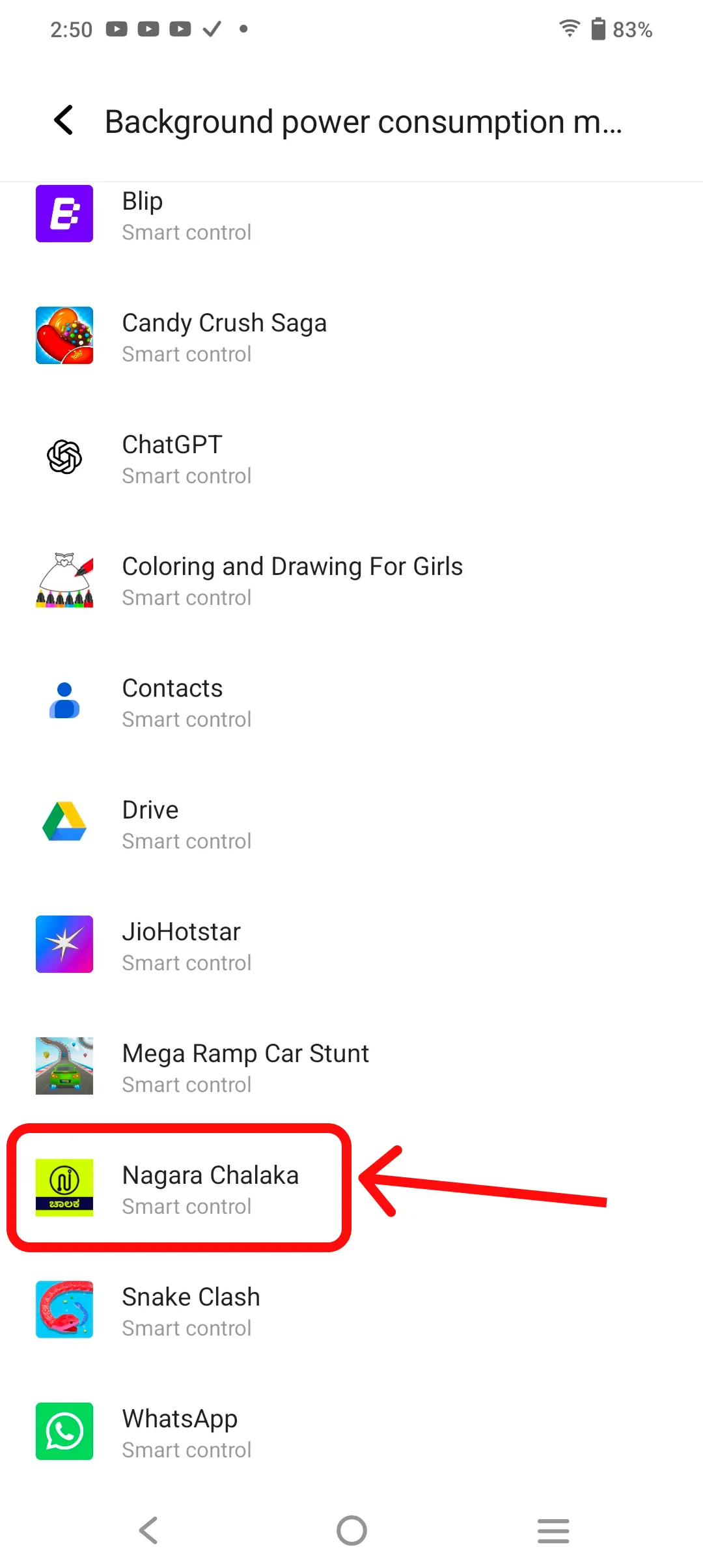
- Select “Nagara Chalaka”
- Select “Don’t restrict background power usage”
Please refer to the screenshots below for more details.